
Evotonomia+ tutorial · Tutorial 13 of 15
The mini-games
Updated on November 9, 2026Version 1.1 of the app
What is it for?
A real, well-earned break once your day is done. Five short games, no ads, no connection.
When do they open?
- The games open once the missions placed in your planner for today are done. The Menu bubble shows what's left (for example "0/1").
- A day with nothing planned? The games are open straight away.
- Once open, they stay open until tonight, even if you untick a mission by mistake.
- When they're locked, you can still open the screen: it tells you what's left and takes you to your missions.
Play
In the Menu, tap My mini-games. Each game shows your best score.
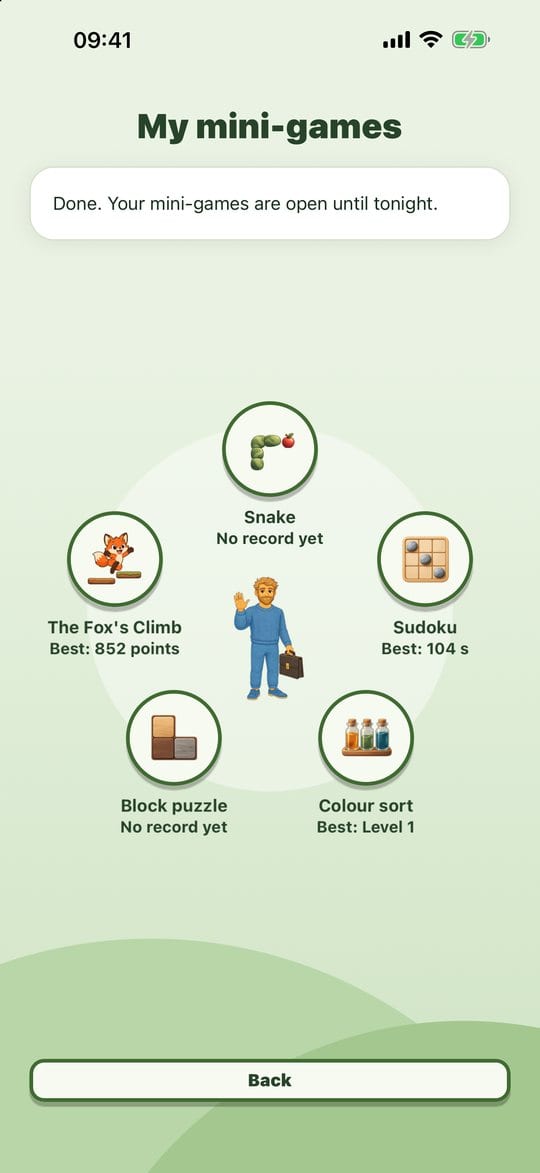
The five games Tap a game:
- Snake: tap the side you want to turn to, or use the cross-shaped pad. The game waits for your first move. - Sudoku: 4 × 4 on easy, 6 × 6 on normal, 9 × 9 on hard. A repeated number turns red. - Colour sort: pour the liquids so each tube holds a single colour. Undo takes back the last pour. - Block puzzle: tap a shape then a square, or drag it. A full row or column clears. - The Fox's Climb: the fox bounces by itself and heads towards your finger. Catch acorns and bonuses, avoid clouds and brambles.

The gear wheel at the top opens the game's settings (difficulty, rules) and pauses timed games.
Practical tips
- Quitting is always fine: an abandoned game isn't saved, and your best score doesn't change.
- Set yourself a limit before you start (one game, ten minutes): a break stays a break.
- Colour sort picks up at the level after your best: you never start from scratch.
Evotonomia+ is an organisation tool. It gives no medical advice and does not replace the opinion of a health professional. Understand how your data is protected