
Evotonomia+ tutorial · Tutorial 5 of 15
The timer and mission reminders
Updated on November 9, 2026Version 1.1 of the app
What is it for?
The timer gives you a clear limit: "I'll tidy for 15 minutes, then stop." It helps you get started, and above all helps you stop without trying to finish everything.
Steps
Open a mission that has a timer: its length is shown under the instructions.
Tap Start timer. The circle fills up and the time left shows in large numbers.
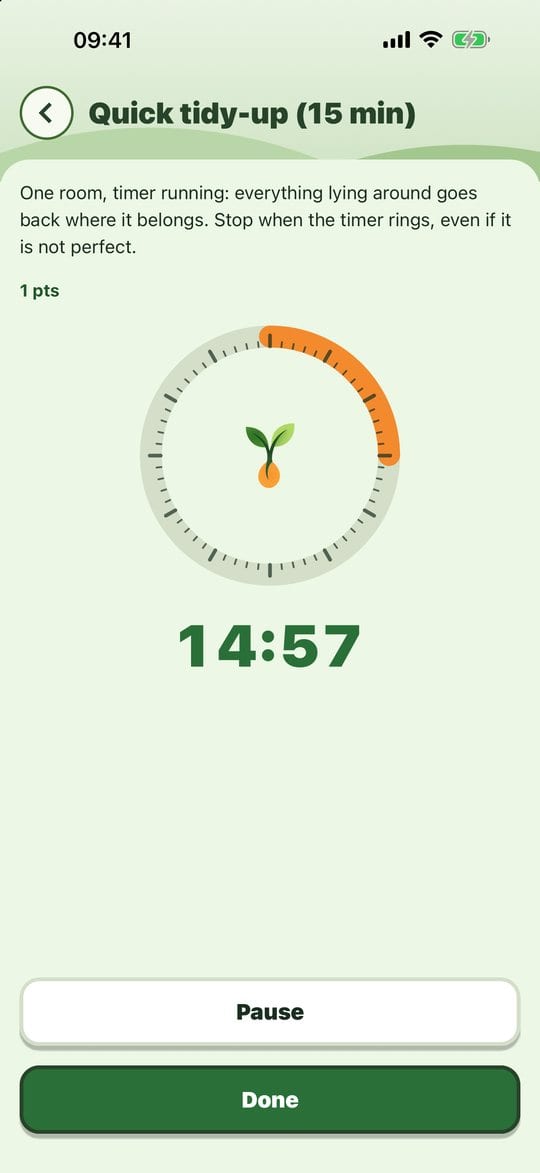
The timer running Interrupted? Tap Pause, then Resume when you're ready.
You can leave the screen or the app: the timer keeps counting accurately. At the end, a Time is up! notification lets you know, even with the app closed (if you allowed reminders).
Tap Done when the mission is finished, before or after the time is up.
Set a mission's timer
In Manage my missions, open the mission, then More options: pick the length and, if you like, reminders before the end (for example at 5 minutes and at 1 minute), with a sound or a vibration.
Practical tips
- Stop when it rings, even if it isn't perfect. Fifteen minutes done beat an hour never started.
- Short lengths (5, 10, 15 minutes) make starting easier.
- If your phone is on silent, the app doesn't make a sound: vibration and the screen take over.
Evotonomia+ is an organisation tool. It gives no medical advice and does not replace the opinion of a health professional. Understand how your data is protected