
App for adults

Evotonomia+Everyday organisation, one thing at a time.

Missions broken into steps, a planner, reminders, mood, budget, shopping and notes: a calm app designed for adults living with ADHD or a neurodivergent mind. It works offline, with no account.
  • Works offline
  • No account
  • No ads, no trackers
  • One-time purchase, no subscription
  • iPhone, iPad and Android
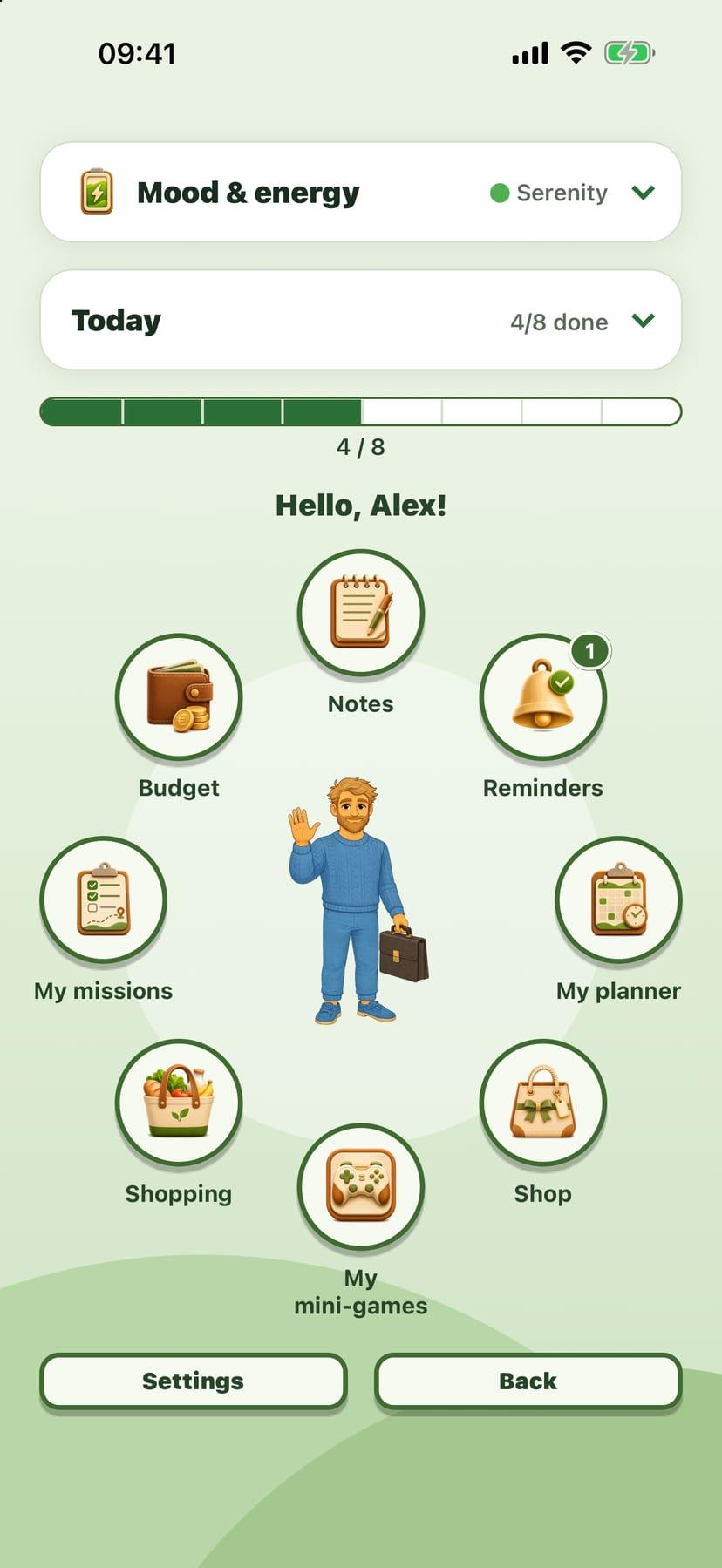
The Evotonomia+ Menu: bubbles arranged in a circle around the avatar, on a forest background

Who it's for

Designed to lighten the mental load

Evotonomia+ is for adults who find that getting organised takes a lot of energy: starting a task, judging time, remembering a medication or an appointment, knowing what is left until the end of the month. The app moves in small steps, with no judgement and no performance score.

  • ADHD
  • Autism
  • Learning disorders
  • Cognitive after-effects

Evotonomia+ is an organisation tool. It gives no medical advice and does not replace the opinion of a health professional.

The Evotonomia+ "Today" card with the next mission and today's gauge
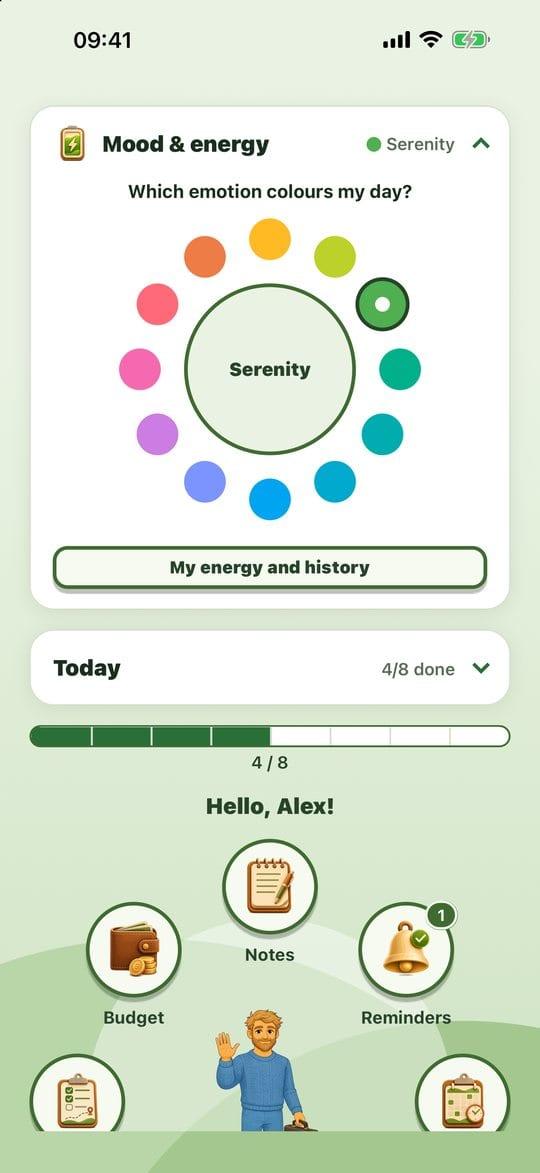
The Evotonomia+ wheel of twelve emotions

The Menu

Your day at a glance

When you open the app there is one screen: your avatar in the middle, your spaces around it, and the next thing to do. Nothing to look for, nothing to set up before you start.

  • A circle of bubbles

    Missions, planner, reminders, budget, shopping, notes: each space is a bubble. The circle turns under your finger.

  • The "Today" card

    It shows your next mission with a "Start" button. One decision at a time.

  • Today's gauge

    It fills up with every mission you tick and starts again from zero each morning. Yesterday does not weigh on today.

  • The emotion wheel

    Twelve emotions within reach. The one you pick gives its colour to the whole interface.

The app

Simple tools for real days

Each space answers one specific everyday difficulty. You only use the ones that help you.
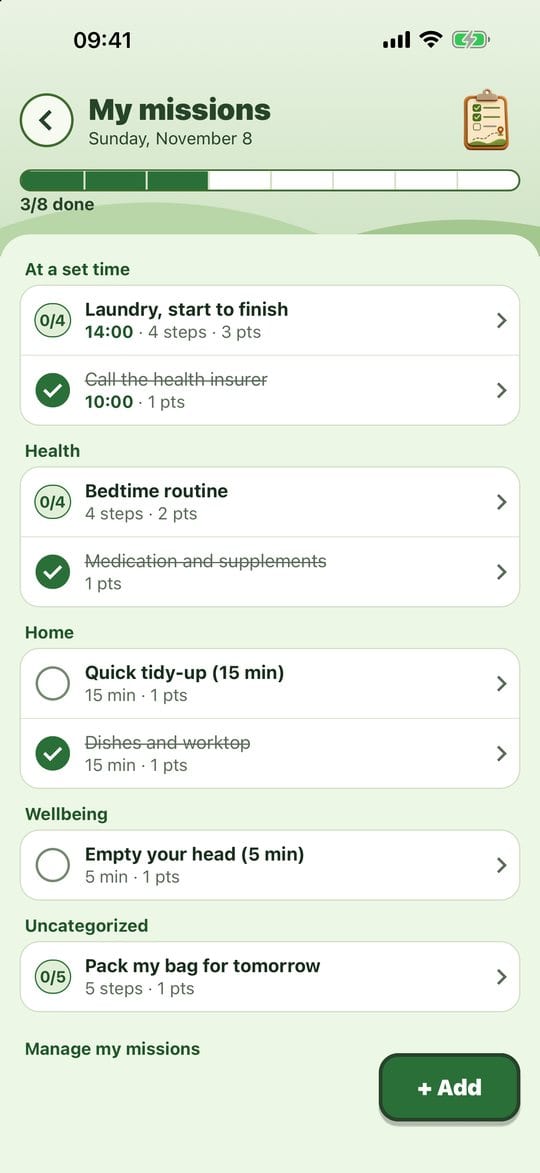
The Evotonomia+ "My missions" screen with today's missions grouped by category
01

Missions to tick, not a list that makes you feel guilty

Note what needs doing, for today, tomorrow or every day. Twenty everyday missions are ready to switch on if you don't know where to start.

  • Quick add: today, tomorrow, every day or at a set time
  • Twenty templates in six categories: home, food, health, admin, wellbeing, social
  • An Undo button after each tick, and moving a mission to tomorrow carries no blame
The Evotonomia+ guided routine: one step shown full screen
02

One step at a time, full screen

A task that feels too big can be broken into steps. The guided routine shows only one at a time, so you move forward without getting scattered.
  • Fourteen ready-made breakdowns to adapt to your own way of doing things
  • An optional timer for each step
  • Free or fixed order, whichever helps you
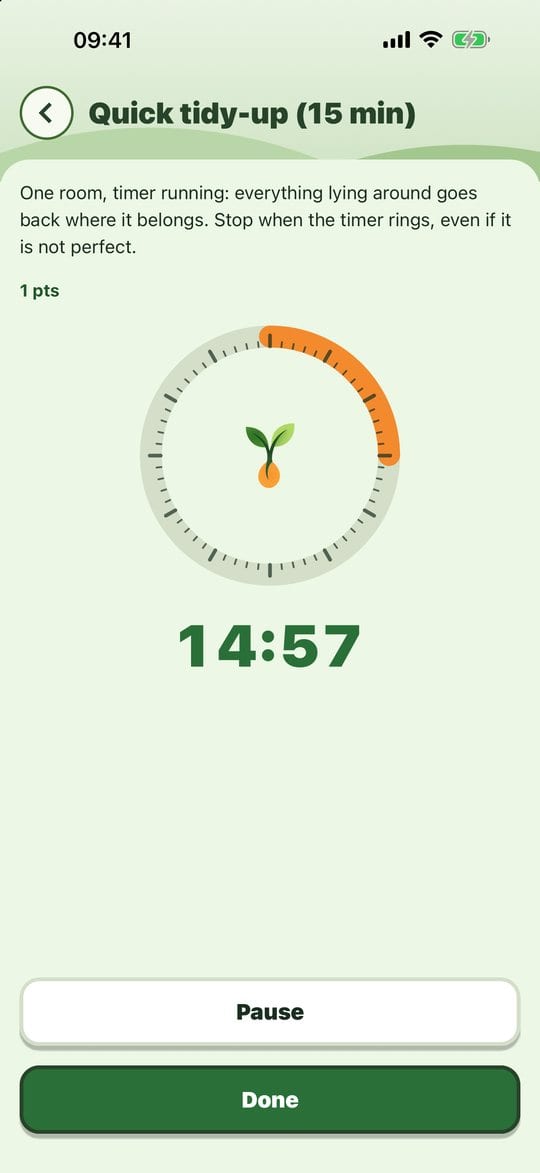
The Evotonomia+ mission timer with the remaining time shown large
03

A timer to start, and to stop

The timer sets a clear limit: tidy for fifteen minutes, then stop. It helps you get going and keeps you from getting stuck on one task.
  • Spoken announcements 15, 10, 5, 3 and 1 minute before the end
  • Pause and resume at any time
  • A "Time's up!" notification, even with the app closed
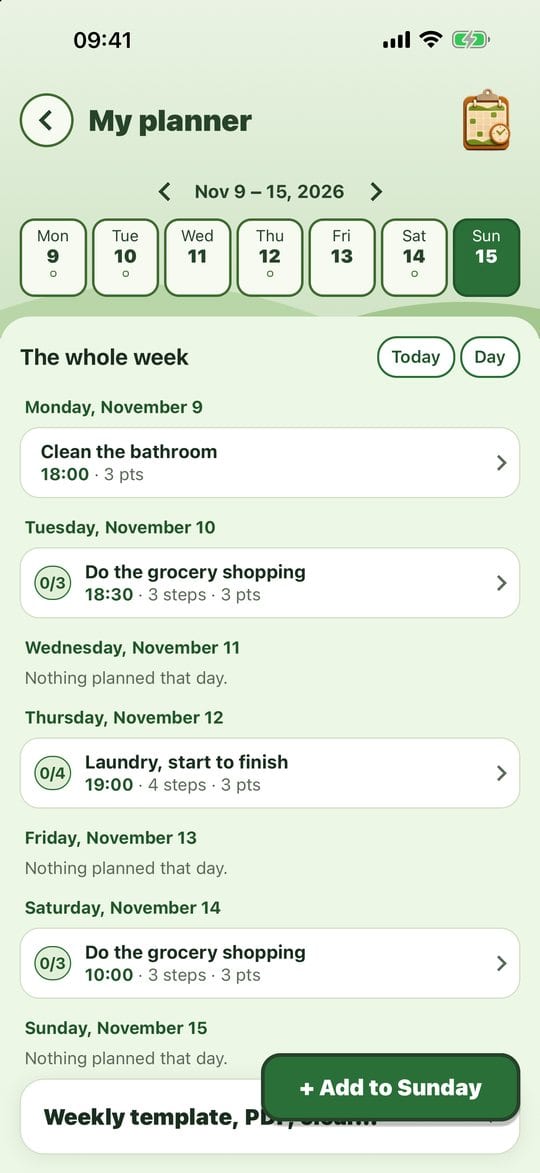
The Evotonomia+ "My planner" screen in week view
04

A week that prepares itself

Put your missions on days, with a time if you like. Your template week then fills each new week for you.
  • Week view and day view, one tap apart
  • A template week that comes back automatically
  • PDF export of the week or of one day, to print or pin up
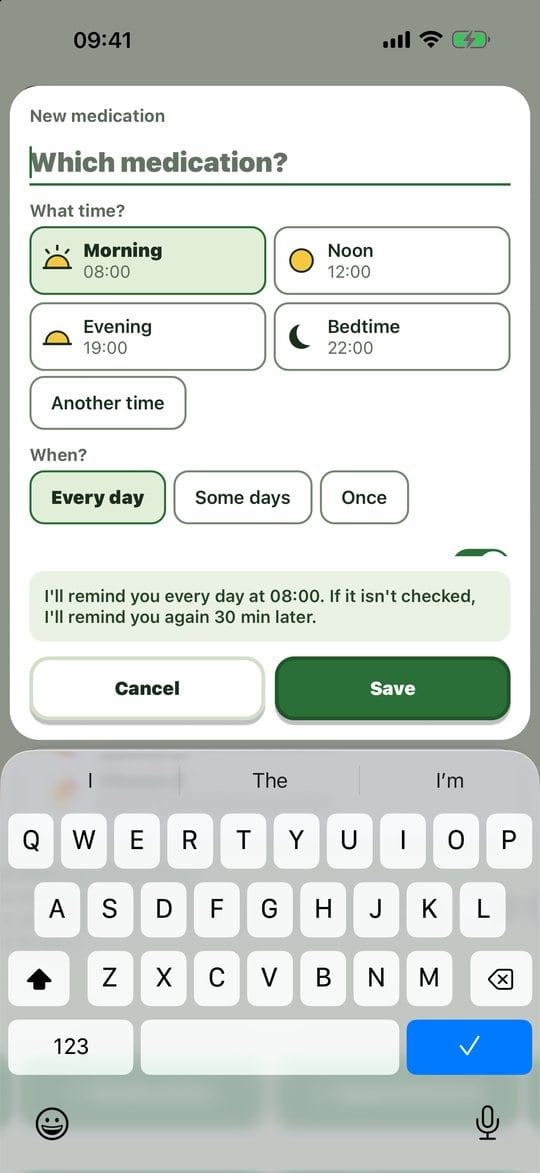
The Evotonomia+ "Reminders" screen with a medication reminder
05

Reminders that arrive on time

Medication, appointments or anything else: the notification shows even with the app closed, and you confirm a dose straight from the notification.

  • Medication: morning, noon, evening, bedtime or any time, with one follow-up 30 minutes later
  • Appointments: an alert the day before or one hour before
  • "Discreet notifications" mode: no name on the lock screen
The Evotonomia+ "Mood and energy" screen with its four gauges
06

Spot what helps and what wears you out

A quick check on your day, for you and nobody else. The app shows, it does not judge: no average, no score.

  • Four gauges from 0 to 10: energy, mood, physical pain, stress
  • A free note, saved as you type
  • A thirty-day chart, also useful when talking with someone close or a professional
The Evotonomia+ "Budget" screen with what is left for the month
07

What's left to spend, in one sentence

Deliberately simple money tracking: what you have left for the month, and per day until the month ends.

  • An expense noted in three taps
  • Categories with limits, and fixed costs that come back every month
  • Share the month as a PDF or a CSV. No access to your bank

And also

The other spaces in the app

All included in the purchase. No paid module, no locked feature.

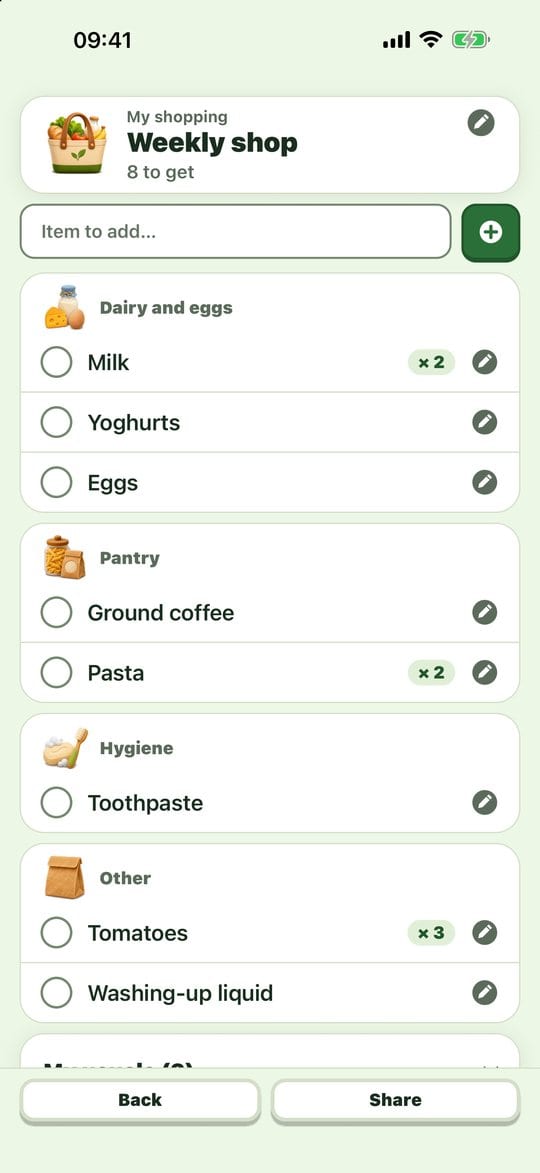
  • An Evotonomia+ shopping list sorted by aisle

    Shopping

    Several lists, sorted by aisle. Your usual items come back in one tap, and the list can be shared as a PDF or a message.
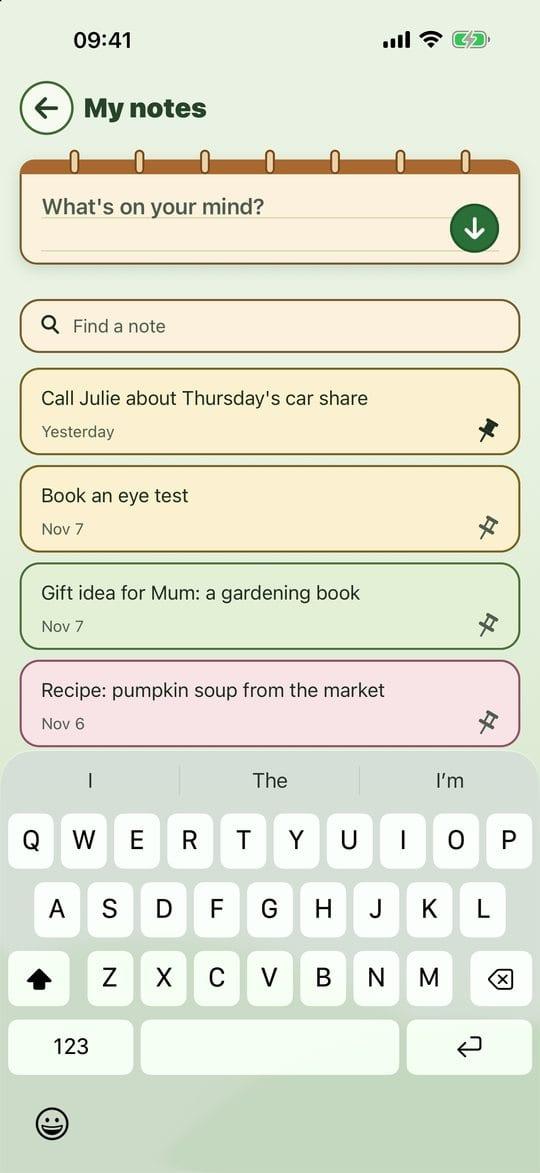
  • The Evotonomia+ notebook

    "Brain dump" notes

    Writing is saving. Pin, colour and find an idea again with search.
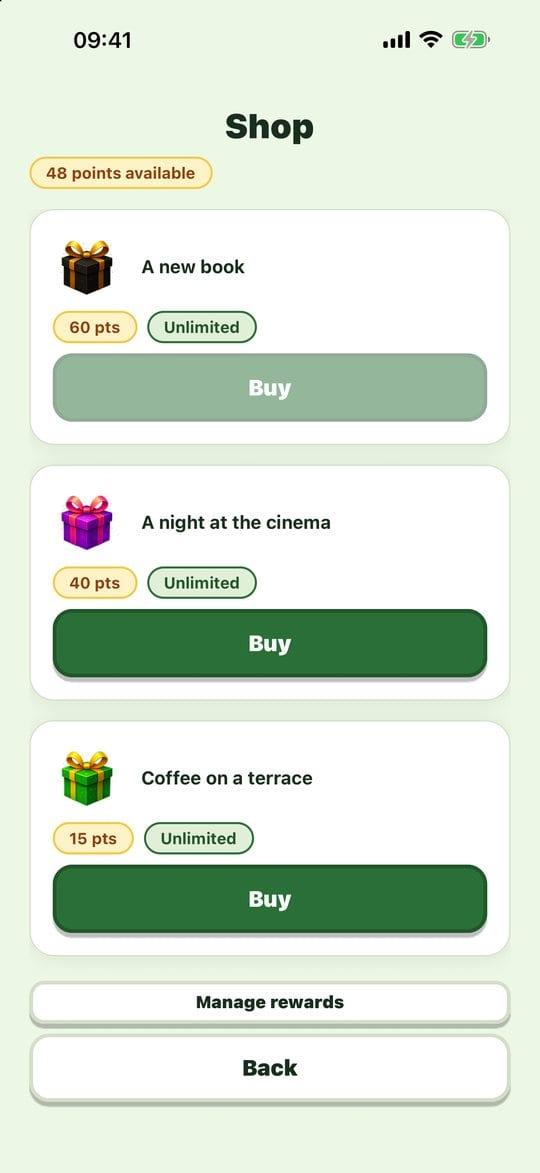
  • The Evotonomia+ shop of personal rewards

    Points and shop

    Off by default. If it motivates you, you create your own rewards. Points are symbolic: no real purchase.
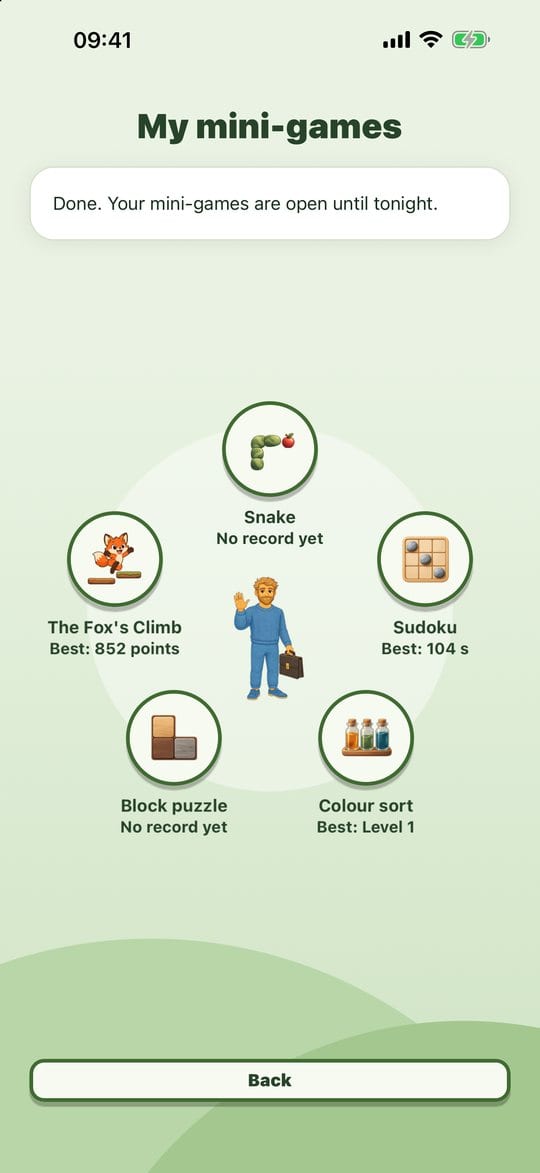
  • The five Evotonomia+ mini-games arranged in a circle

    Mini-games

    Five short games that open once your planned day is done. A break, with no ads and no connection.
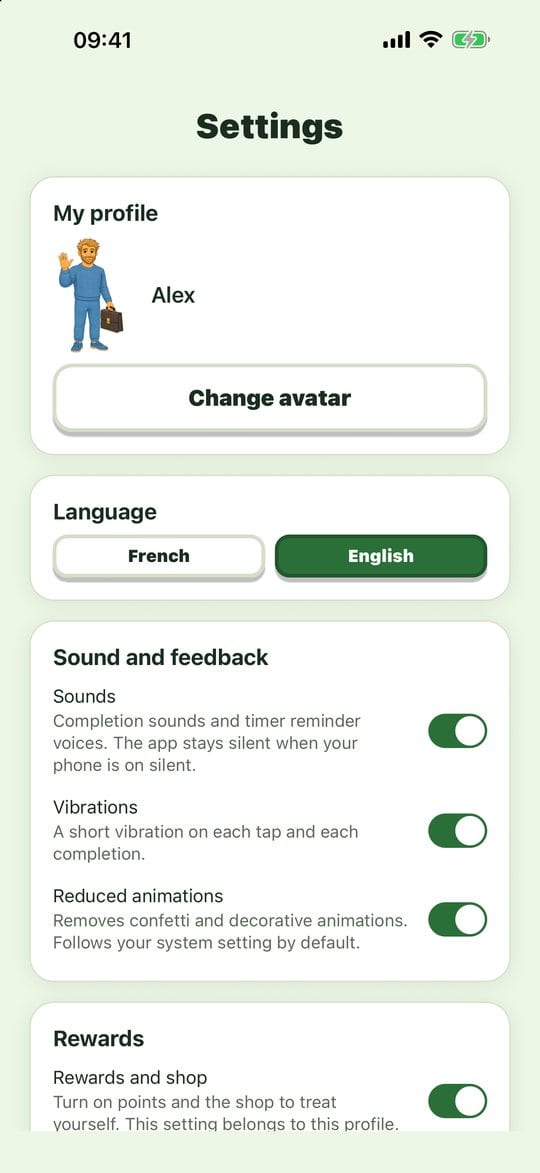
  • The Evotonomia+ settings screen

    Profiles and settings

    Several profiles on one device, 21 avatars, French or English interface, sounds, vibration and reduced motion.
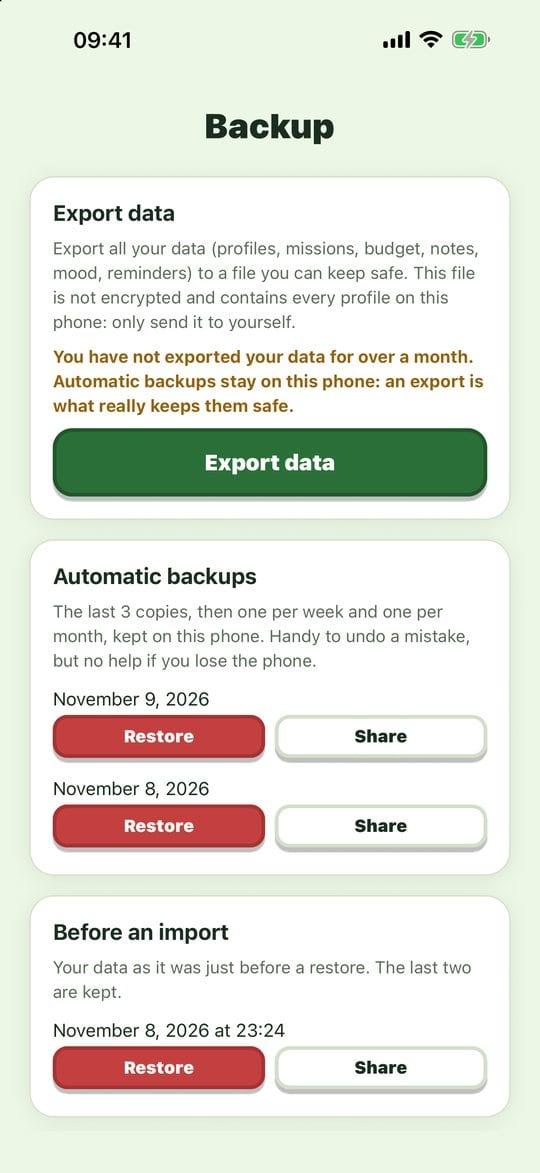
  • The Evotonomia+ backup screen

    Backup

    Automatic copies on the device, and a file to export when you change phone, from iPhone to Android or the other way round.

Version 1.1

What changes with the new version

If you already use Evotonomia+, the update keeps your data.

  • A new Menu: bubbles in a circle on a forest background, and an emotion wheel that colours the interface
  • Mood and energy: four gauges from 0 to 10 and a thirty-day chart
  • Budget: one month at a time, automatic fixed costs, sharing as a PDF or a CSV
  • Shopping: sorting by aisle, usual items and PDF sharing
  • Reminders: a view of the day, a follow-up and discreet notifications
  • A layout designed for iPad and tablets, and 21 avatars
  • Sturdier automatic backups and stronger data protection

Security and privacy

Your information stays yours

This is where you note your medication, your mood and your budget. Here is the gist of what protects them, and the one limit to know.

  • No account and no server: the app sends nothing to the publisher.

  • No ads, no analytics, no trackers.

  • Network traffic measured on version 1.1: no connection observed.

  • Discreet notifications: no medication name on the lock screen.

Worth knowing: the app has no passcode of its own. Its protection relies on your phone's lock.

Two apps

Evotonomia or Evotonomia+?

Two separate apps, bought separately, that share no data.

CriterionEvotonomiaEvotonomia+
Who it's forChildren aged 4 to 12, with a parent or a professionalAdults, on their own
CuesPictograms, rooms of the home, illustrated stepsPlain text, steps and a timer, no pictograms
ToolsMissions, visual schedule, printable routines, rewardsMissions, planner, reminders, mood, budget, shopping, notes
SettingsParent area protected by a passwordEach adult manages their own profile
PriceOne-time purchase, no subscriptionOne-time purchase, no subscription

Frequently asked questions

Before you install Evotonomia+

01.How much does Evotonomia+ cost?
You buy Evotonomia+ once, on the App Store or on Google Play. There is no subscription, no in-app purchase and no advertising. The price is shown by the store in your country.
02.Does the app work without a connection?
Yes. Evotonomia+ needs no connection and asks for no account. Your data is saved on your device.
03.How do I change phone without losing my data?
Export a backup from the Backup screen, keep the file somewhere of your own, then import it on the new phone. The transfer also works from an iPhone to an Android phone, and the other way round. The purchase itself is tied to each store.
04.I already have the app: does version 1.1 keep my data?
Yes, the update keeps your profiles, missions, planner and the rest of your data. As a precaution, export a backup before installing a new version.
05.Can I protect the app with a passcode?
Not for now. The app adds no passcode or encryption of its own: its protection relies on your phone's lock. "Discreet notifications" mode removes names from the lock screen.
06.Which devices does it run on?
On iPhone, iPad and Android, in portrait mode. Version 1.1 adds a layout designed for tablets. The interface is available in French and English.
07.How is it different from Evotonomia?
Evotonomia supports children aged 4 to 12 with pictograms and a parent area. Evotonomia+ is designed for adults, with no pictograms and with tools such as medication reminders, a budget or shopping lists. They are two separate apps.
08.Is it a medical tool?
No. Evotonomia+ is an organisation tool. It gives no medical advice and does not replace the opinion of a health professional.

Ready to try Evotonomia+?

One purchase, and the app is yours. A question before installing? Write to us.

Evotonomia+, everyday organisation for adults · Evotonomia